One tap per photo
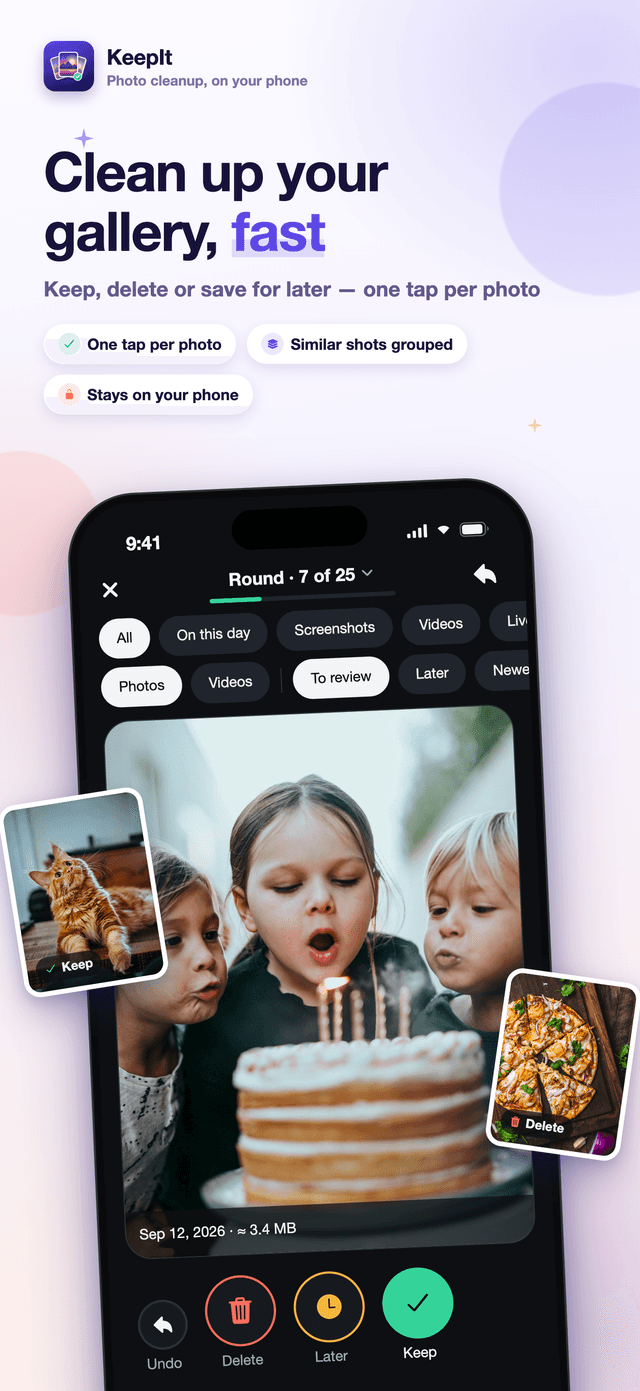
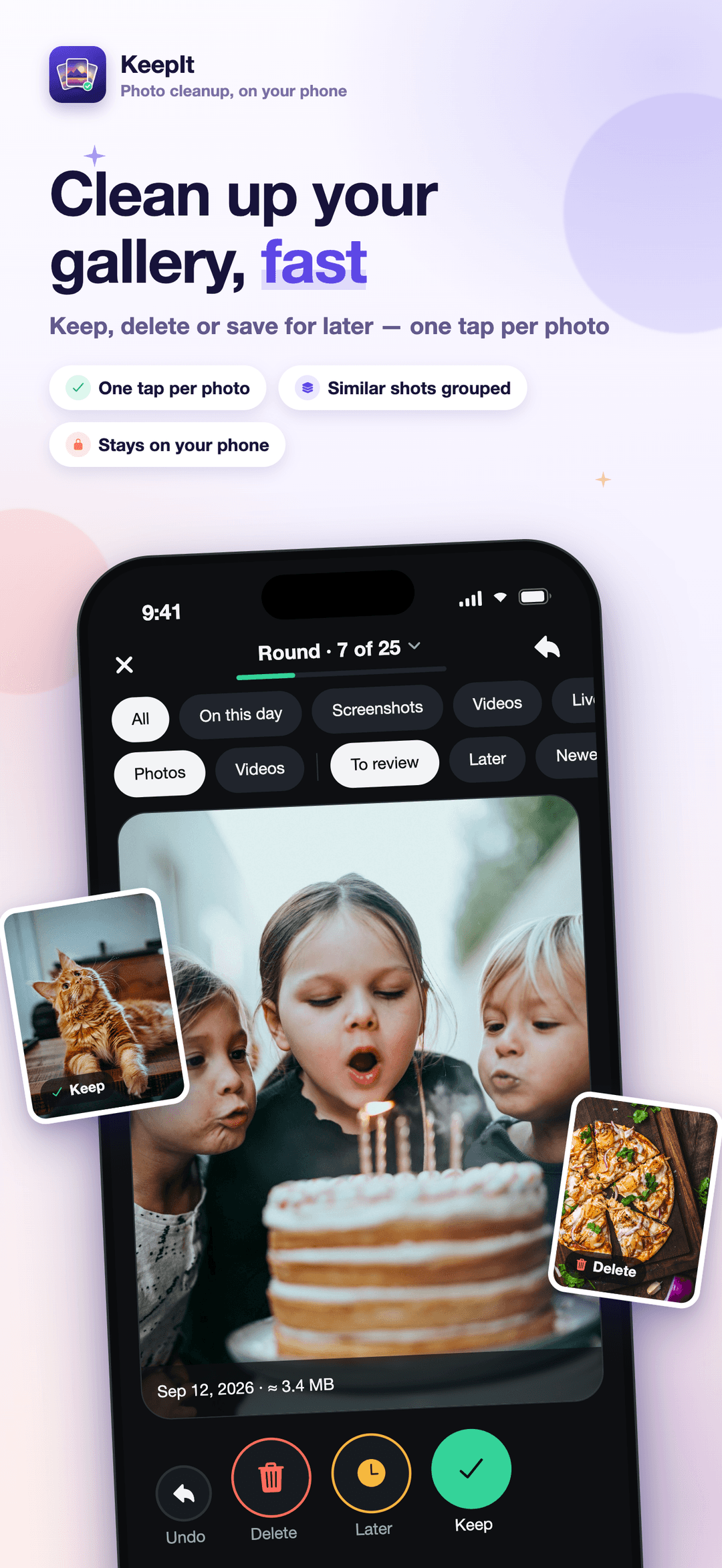
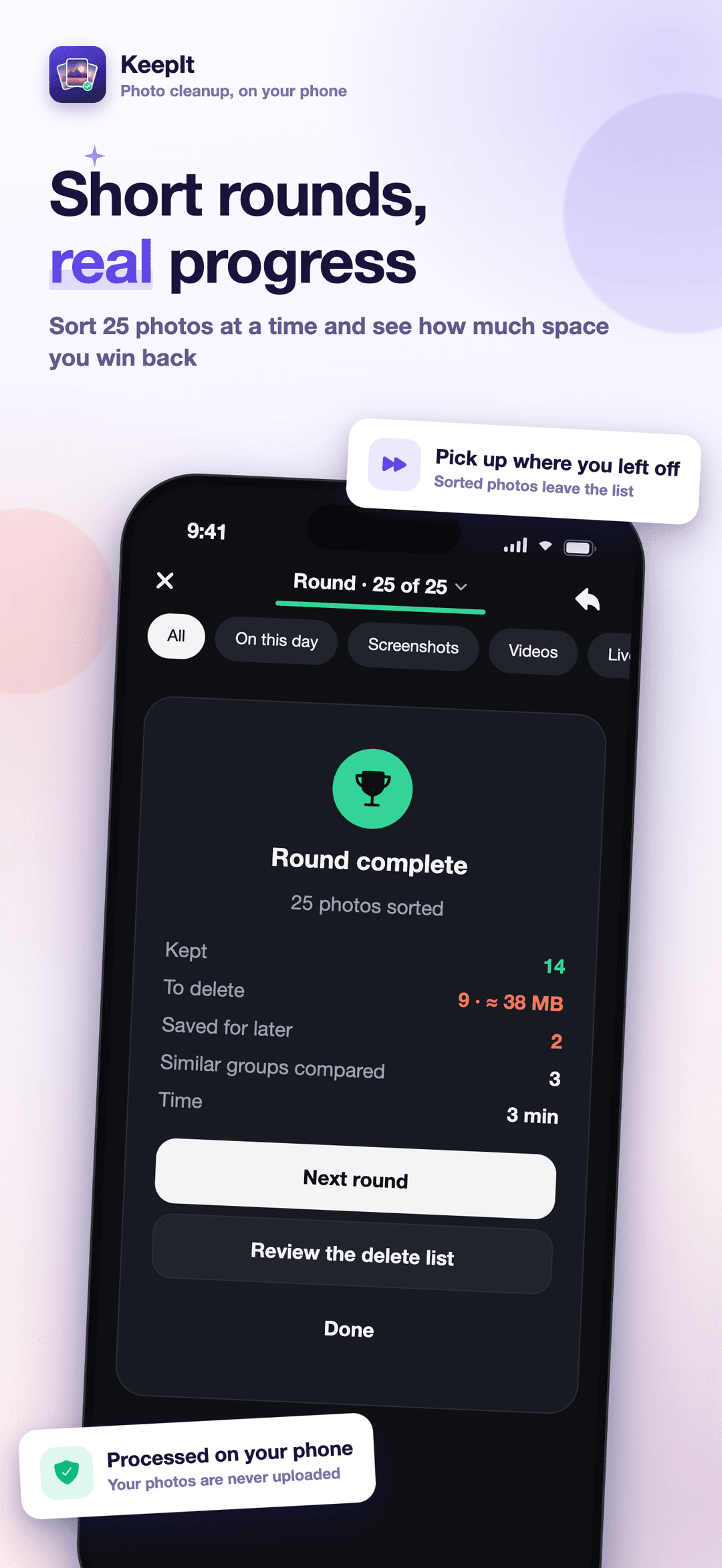
Keep, Delete or Later on every photo and video, or swipe: right to keep, left to delete, up for later. Undo any decision, and work in short rounds that remember where you stopped.
Photo cleanup, on your phone
Keep, delete or save for later, one photo at a time. KeepIt groups near-identical shots so you can compare them side by side, suggests the sharpest, eyes-open frame, and holds everything on a delete list until you confirm. The analysis runs on your phone; your photos are never uploaded.



Download
Keep What Matters
KeepIt helps you clean up your photo library one decision at a time: keep, delete or decide later, compare similar shots side by side and let Smart Pick suggest the sharpest frame. Analysis runs on your phone, your photos are never uploaded, and nothing is deleted until you confirm.
Screenshots
Screens from the App Store listing.
How it works
KeepIt turns a library of thousands of photos into short rounds of quick decisions. Four steps take you from a full camera roll to a delete list you have checked yourself.
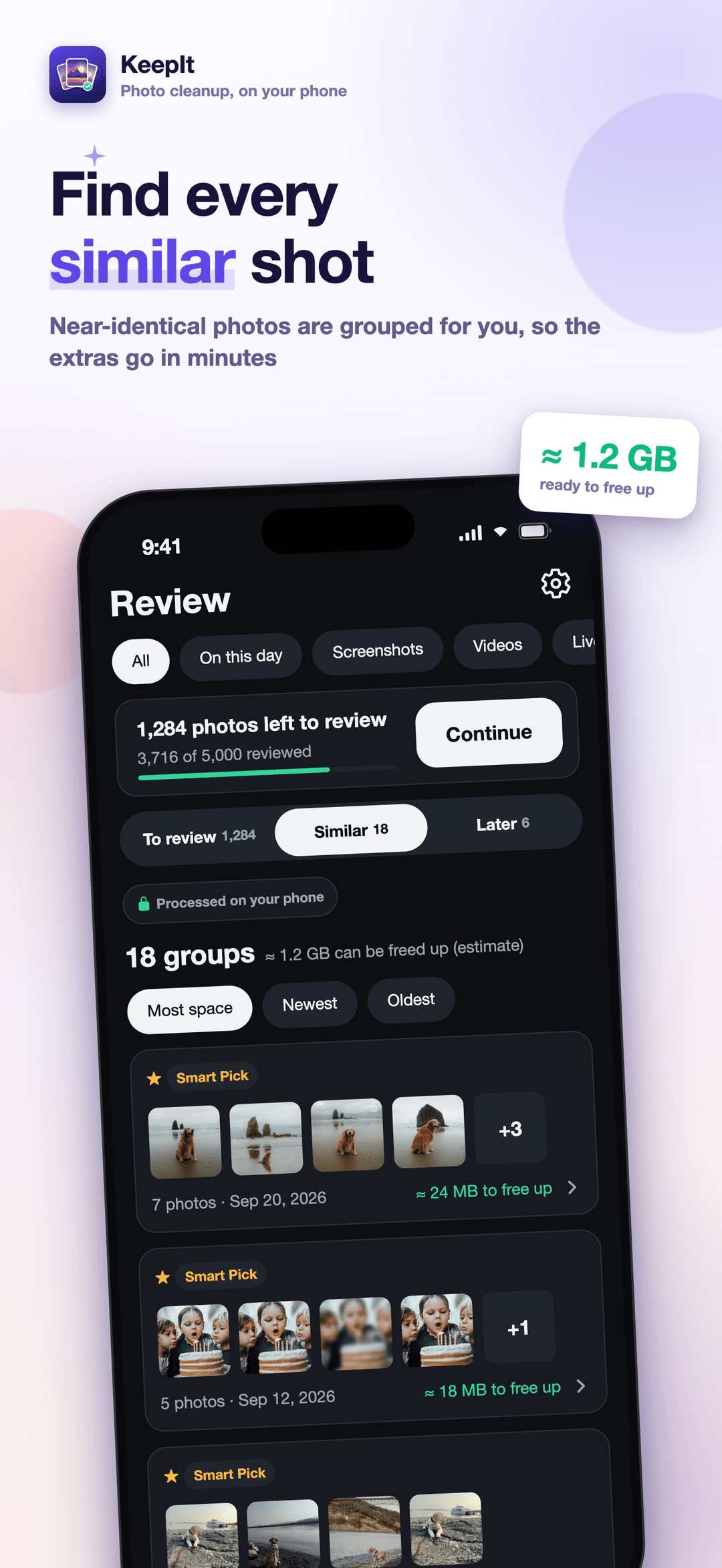
Choose all photos or only the ones you select. KeepIt reads your library on the phone, groups near-identical shots taken moments apart, and analyzes the groups that can free the most space first.
Keep, delete or save for later with a tap, or switch to swiping: right to keep, left to delete, up for later. Work in rounds of 25, 50 or 100, and undo any decision you change your mind about.
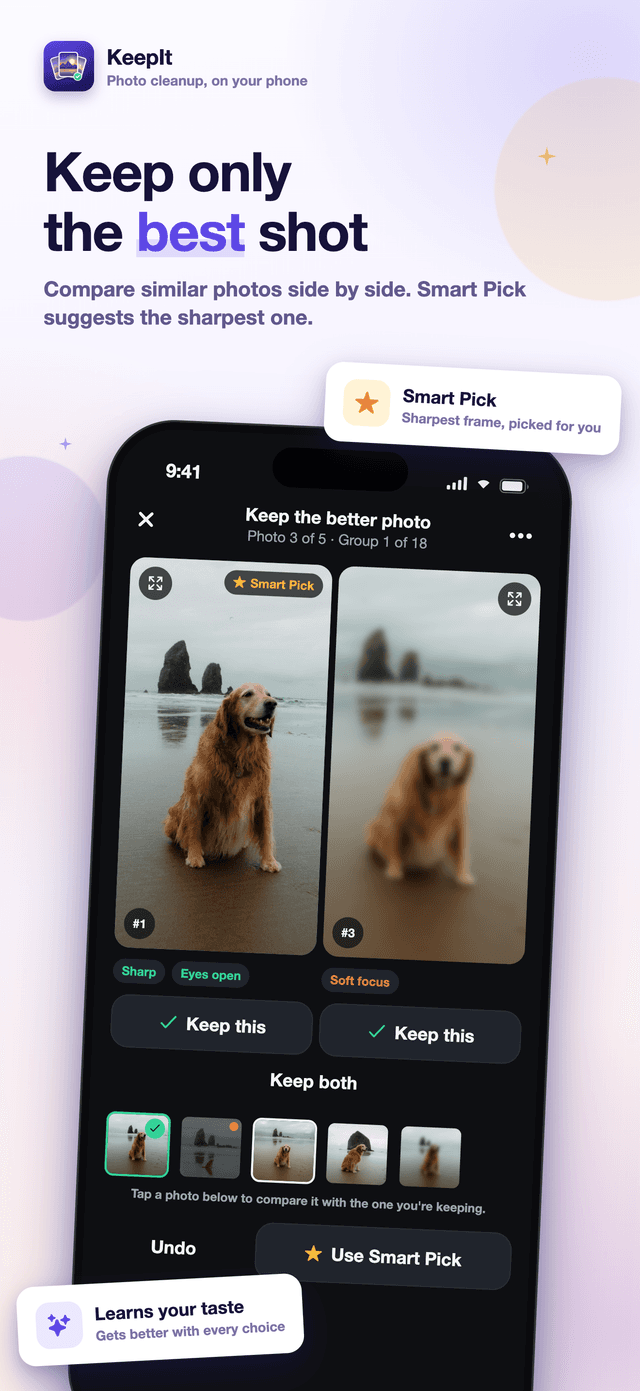
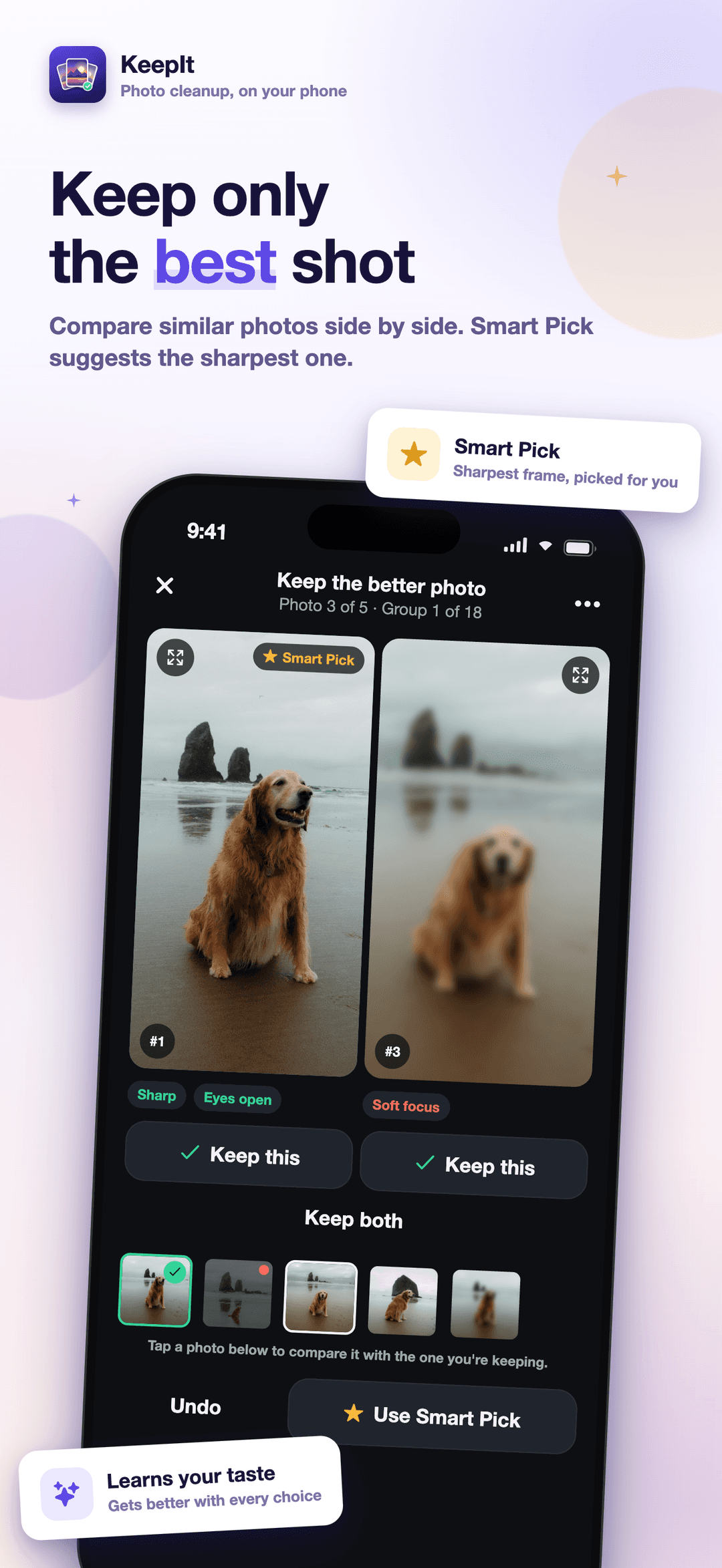
Bursts and near-duplicates open side by side, two at a time, with synced zoom. Smart Pick marks the sharpest, eyes-open frame, and you keep the one you like best, or more than one.
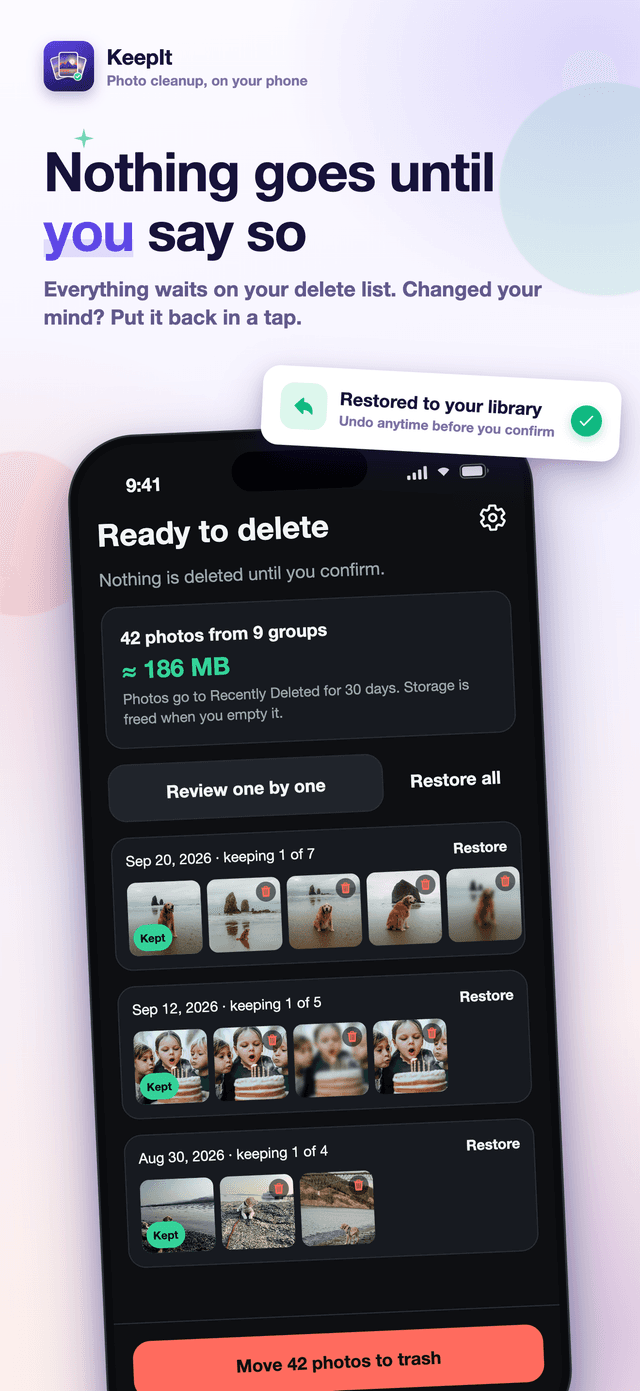
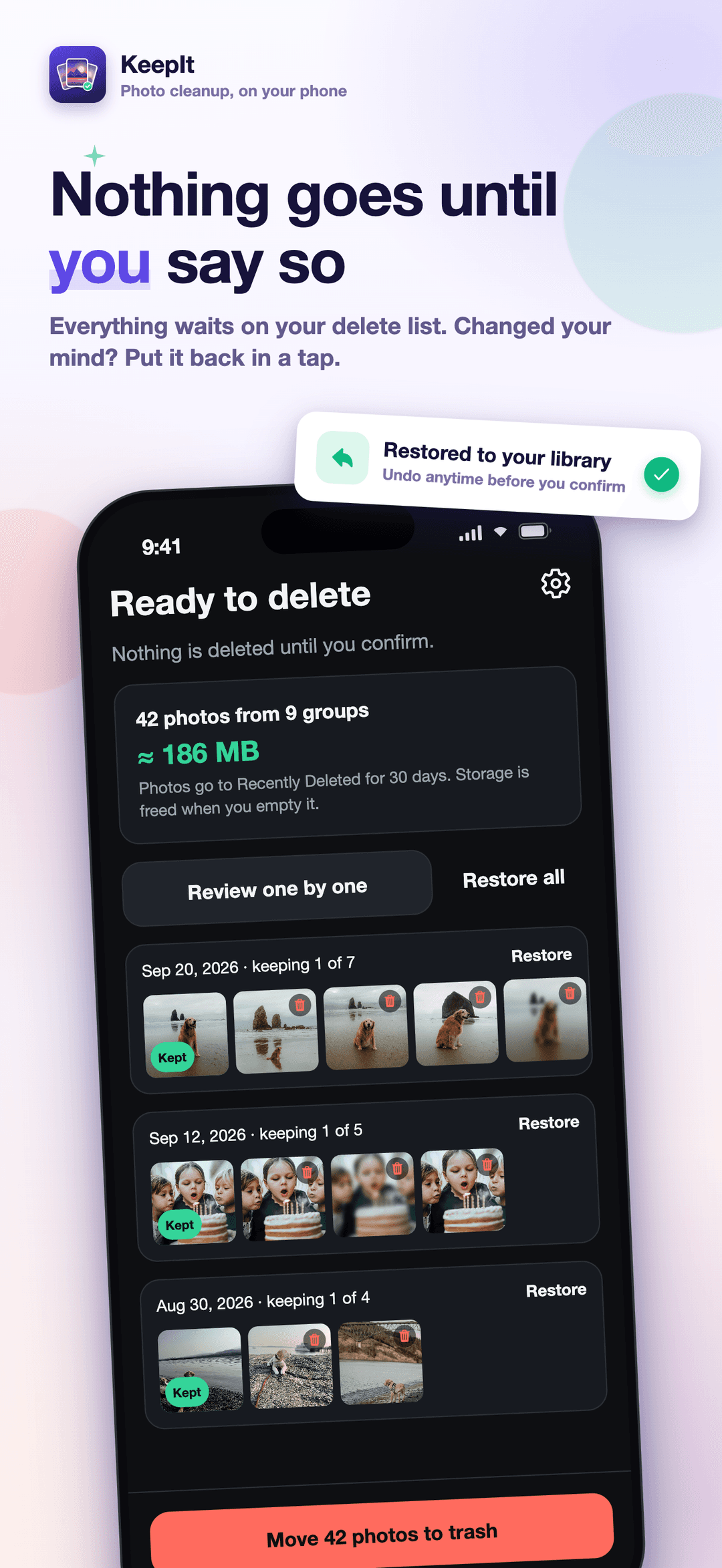
Everything marked Delete waits on one list, grouped by moment, with the photo you kept beside the rest. Take any photo back, then move the list to the trash once your phone asks you to confirm.
What it helps with
KeepIt helps you clean up your photo library one decision at a time: keep, delete or decide later, compare similar shots side by side and let Smart Pick suggest the sharpest frame. Analysis runs on your phone, your photos are never uploaded, and nothing is deleted until you confirm.
Keep, Delete or Later on every photo and video, or swipe: right to keep, left to delete, up for later. Undo any decision, and work in short rounds that remember where you stopped.
Photos taken seconds apart that look alike are grouped for you. Compare them two at a time with synced zoom, keep the best frame, or keep more than one.
In every group, Smart Pick marks the sharpest frame with eyes open. When you choose a different one, it adjusts to your taste, on your phone.
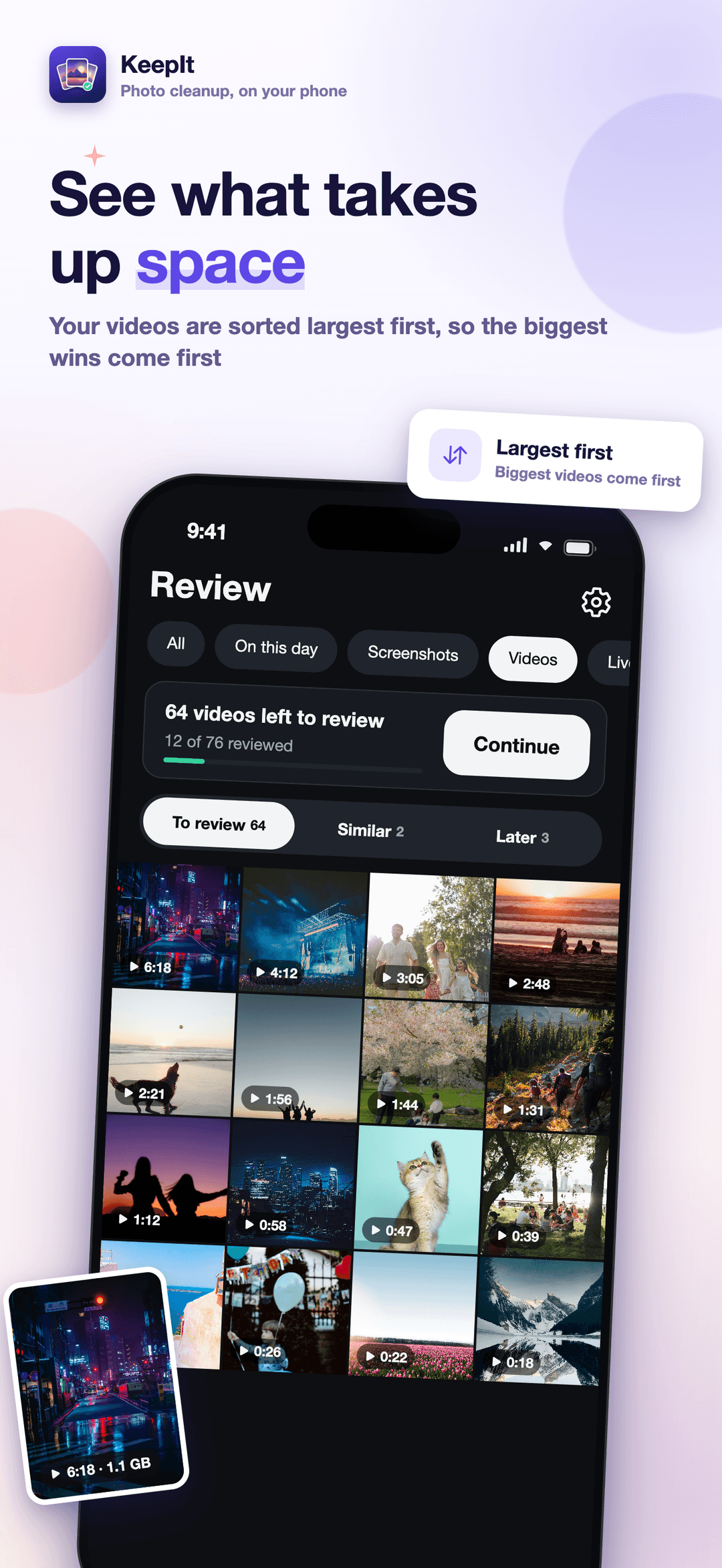
Filters for Screenshots, Videos sorted largest first, Live Photos and On this day put the biggest and easiest wins in front of you.
Everything you mark waits on one delete list. Take any photo back, restore a whole group, then move the list to the trash when you confirm.
Grouping and Smart Pick run on the device. Photos, file names, dates and locations are never uploaded, and there are no ads.
Why it matters
Most camera rolls are not full of bad photos. They are full of the same good moment taken five times. KeepIt is built around that: show the near-identical shots together, help you pick the one worth keeping, and let the rest go.
Deleted photos sit in the phone's trash for 30 days before the space comes back. KeepIt shows what is waiting in the trash and what has really been freed, instead of counting the space as won the moment you tap delete.
What KeepIt is
KeepIt is a mobile app for iPhone and Android that helps you clean up your photo and video library by making quick decisions: keep, delete or decide later. It groups photos taken seconds apart that look alike, shows them side by side, and suggests the sharpest, eyes-open frame with Smart Pick. Filters for screenshots, large videos and Live Photos surface the easiest wins. Nothing is deleted automatically: every photo you mark waits on a delete list until you confirm, and the analysis runs on your phone, so your photos are never uploaded.
Give it access to your photos, then decide in short rounds. Everything you mark collects on one list you check before anything is removed.
Smart Pick is a suggestion inside each group of similar shots. You always make the call.
A photo library is personal. KeepIt keeps it on your phone and is specific about the little that does leave the device.
FAQ
No. Every photo you mark with Delete waits on a delete list first. You can open any of them full screen, take it off the list, or restore a whole group. Only when you tap the move-to-trash button and confirm the system prompt do the photos go to Recently Deleted on iPhone or your phone's trash on Android, where they stay for 30 days. If iCloud Photos is on, a photo deleted on your iPhone is removed from your other Apple devices too, as with any deletion on iPhone.
KeepIt groups photos taken seconds apart that also look alike, such as a burst or the same moment shot several times. It is built for choosing the best frame of a moment, not for finding exact copies of a photo saved at different times across your library.
Your phone keeps deleted photos in Recently Deleted (iPhone) or the trash (Android) for 30 days so you can recover them. The space comes back when that trash is emptied. KeepIt shows what is still waiting in the trash and what has actually been freed, rather than counting the space as won the moment you delete.
Within a group of similar shots, Smart Pick ranks the frames on device by sharpness and, where faces are found, open eyes. On iPhone it also uses Apple's face capture quality and, on iOS 18 and later, an aesthetics score. It is a suggestion, not a decision: you keep whichever frame you like, and when you choose a different one than it suggested, Smart Pick adjusts to your taste. That learning stays on your phone and can be reset in Settings.
No. Grouping, Smart Pick and place grouping all run on your phone, and photos, file names, dates and locations are never sent to us. For analysis KeepIt does not even download originals that only exist in iCloud. The app does send anonymous, bucketed usage counts to Amplitude, and Adapty handles purchases; neither receives your photos.
Free covers reviewing every photo and video, comparing similar shots, each group's own Smart Pick, the On this day, Screenshots, Videos and Live Photos filters, and the delete list, with up to 50 photos moved to the trash per day. KeepIt Pro removes the daily limit and adds one-tap actions: accept every Smart Pick at once, put all screenshots on the delete list, and turn Live Photos or motion photos into still photos. It also adds filtering by album, month, date range or place, and every theme color. There are no ads on either plan.
KeepIt Pro is an in-app purchase through the App Store or Google Play. The plans on offer and their prices are shown in the app before you buy, and a previous purchase can be restored from Settings.
Yes. Videos are reviewed with the same Keep, Delete and Later decisions as photos, and the Videos filter sorts them largest first. Live Photos on iPhone and motion photos on Android have their own filter; with Pro, KeepIt can keep just the still photo, saving it as a new photo and putting the original on your delete list.
Get started
KeepIt helps you clean up your photo library one decision at a time: keep, delete or decide later, compare similar shots side by side and let Smart Pick suggest the sharpest frame. Analysis runs on your phone, your photos are never uploaded, and nothing is deleted until you confirm.